A game in your browser, explained in 95 seconds.
Theuws Consulting makes browser games, for businesses too. This film explains what such a game can do for you and how it comes together. Below: the film, the storyboard beat by beat, and exactly what is real and what was made with AI.
Custom games
Also in Dutch: Watch the Dutch version →
One page and one question.
It started with one page of a website, theuws.com/games, and one question: what should the film do? The answer: show in the first seconds that a game simply runs in your browser, then the three reasons a business has one made, then how it works, from intake to launch. And end with one question for the viewer.
Ten beats, from punch to question.
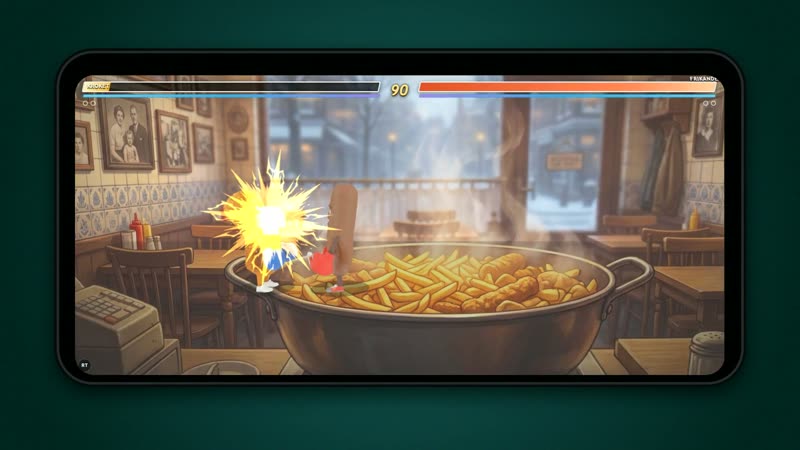
01 · 0:00
The punch
Friet Fighter: a frikandel knocks out a kroket, on a phone.
Voice (no voice, just the punch)
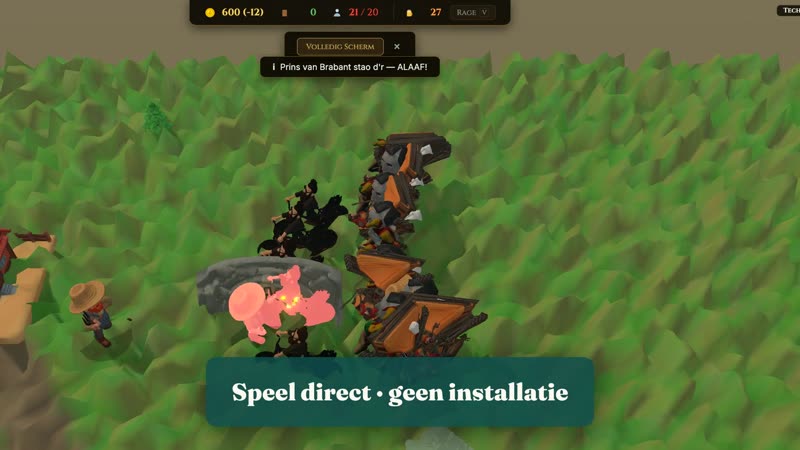
02 · 0:03
Play instantly
Reign of Brabant: two armies clash, with a message in Brabant dialect.
Voice This is a game. It runs right in your browser.
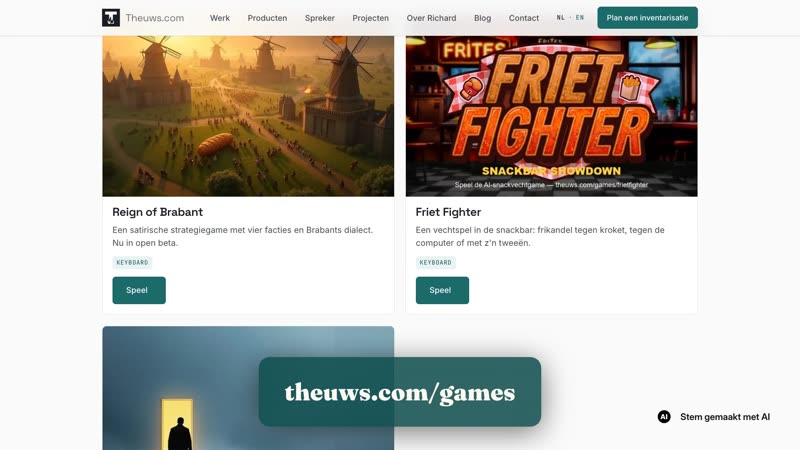
03 · 0:07
The brand on screen
theuws.com/games: the overview scrolls and the cursor taps Friet Fighter.
Voice I make browser games: on your phone and laptop, nothing to install.
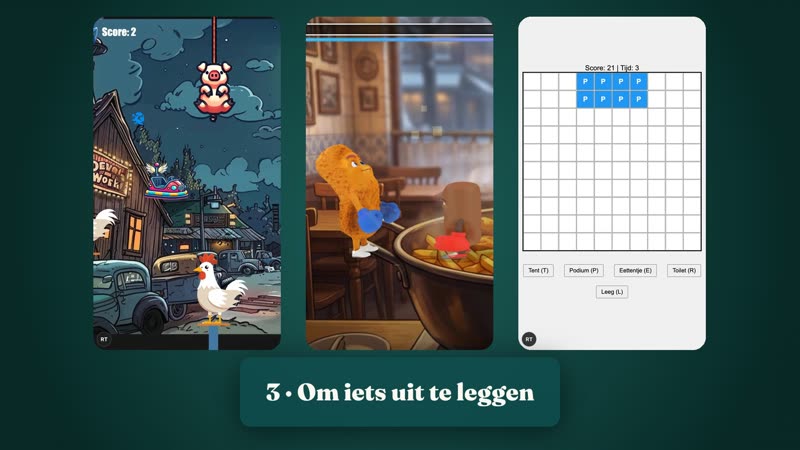
04 · 0:13
Three purposes
Three panels: Reusel Kermis (event), Friet Fighter (brand), Festival Planner Puzzle (explaining).
Voice For businesses too. A game for your event, a game with your brand, or a game that explains something.
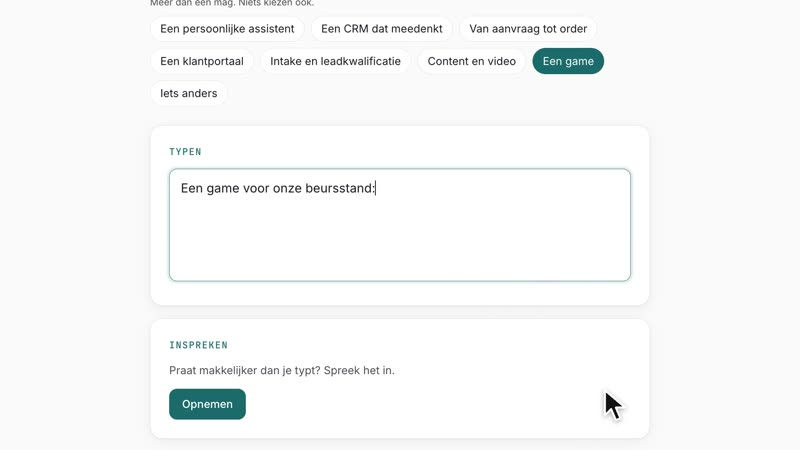
05 · 0:23
Step 1: the question
intake.theuws.com: the form fills in with “A game for our trade fair stand”.
Voice We start with one question: what should the game do? Draw people to your stand, explain something, or simply be fun.
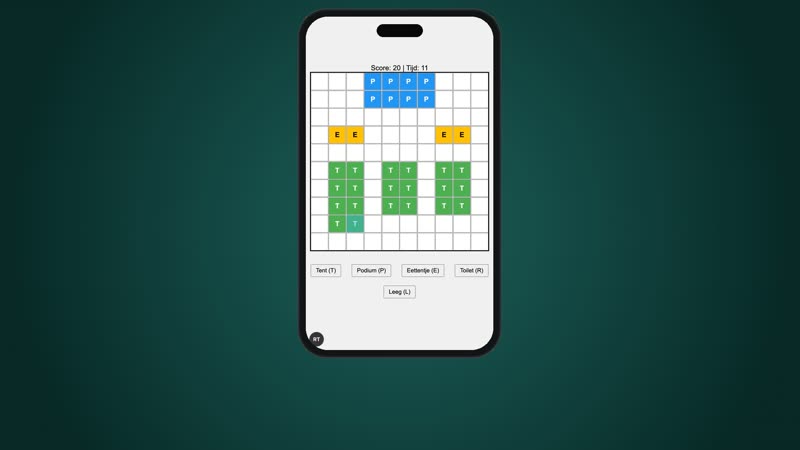
06 · 0:35
Step 2: play it first
Festival Planner Puzzle on a phone: tents are placed on the site.
Voice Then you play a prototype first, on your own phone. You know it works before anything else gets built.
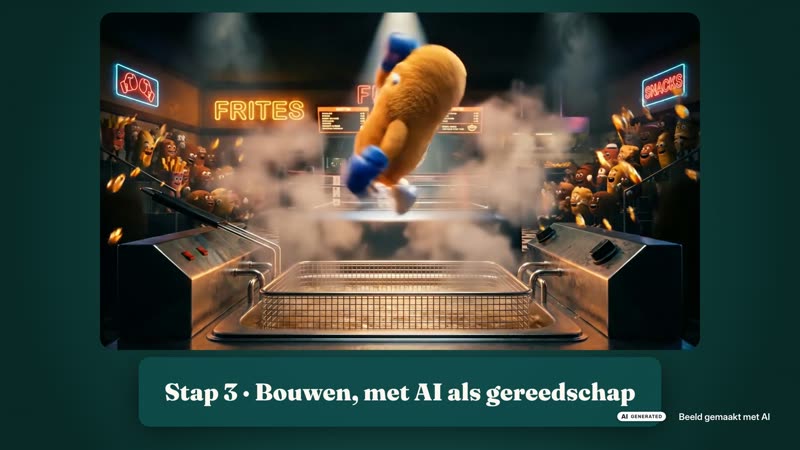
07 · 0:47
Step 3: built with AI
The kroket from the Friet Fighter production (labelled as AI imagery), then Snowboard Rush.
Voice I build with AI as a tool: for art, sound and code. I always tell you what AI did.
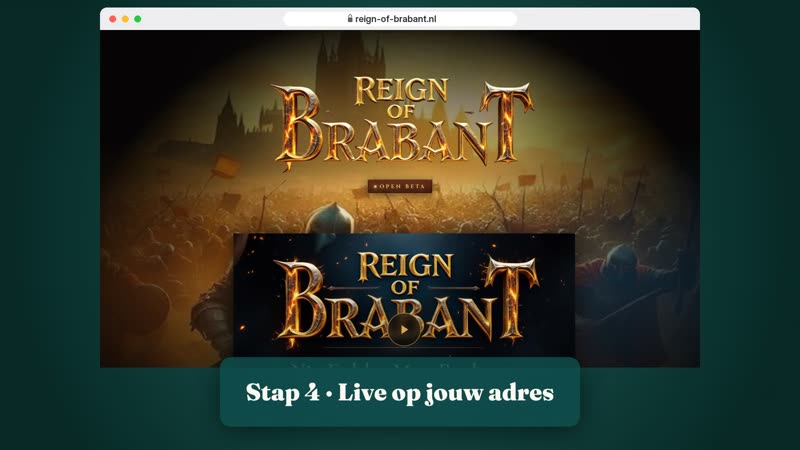
08 · 0:59
Step 4: live
reign-of-brabant.nl in a browser, Metal Jump 3D on a tilting phone, Escape Something on an iPad.
Voice Then it goes live, on its own address. On any phone, any laptop, even an iPad.
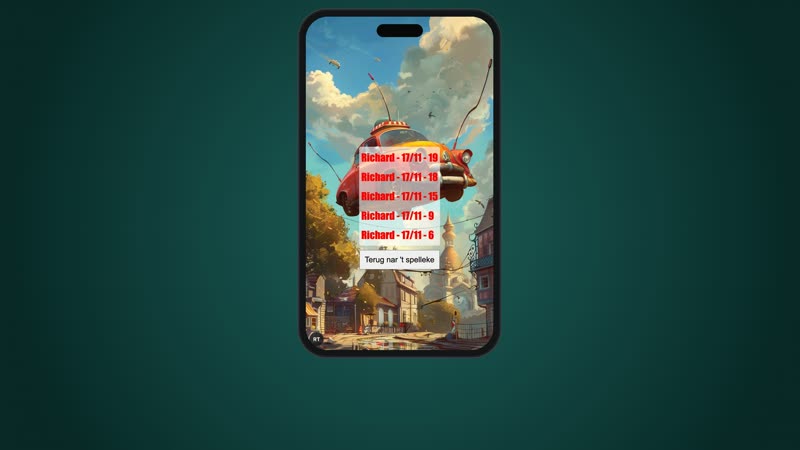
09 · 1:11
Players come back
Reusel Kermis: a round of bumper cars, then the high score list.
Voice A high score that sticks, and people come back to beat it.
10 · 1:20
The question for you
Back to the opening punch, then the end card with the intake.
Voice What should your game do? Start with an intake.
What you see, and how it got there.
Real
Every game is an original Theuws Consulting design, recorded live in the browser at phone and laptop size. The game sounds come from the games themselves. The intake form is the real form; nothing was sent.
Staged for the recording
The Reign of Brabant battle was played locally, because you can’t place armies on the live site. The Reusel Kermis high score list shows scores from the recording session, because the list was still empty. The address bar and the phone and iPad frames are drawn.
Made with AI
The voice (Chatterbox, made locally), the music bed, the kroket image from the Friet Fighter production and the Theuws Consulting end card. Everything made with AI is labelled as such on screen.
From brief to four versions.
Brief and storyboard
First a brief with the goal, the limits (only original games, no invented clients) and a ten-beat storyboard with the voice-over written out per second. Nothing was recorded before sign-off.
A 13-second test
The first three beats as a test, with two AI voices side by side. Richard chose the voice Theuws uses on all its channels.
Recording
Every game was recorded in the browser. Where a player was needed, a script played along: the Friet Fighter fight, the Reusel Kermis bumper cars, the tents in the Festival Planner.
Edited to the voice
The shots change on the words of the voice-over; the word timings come from speech recognition. The music drops away at the prototype, so the voice stands alone.
Listened back
On listening back, the Dutch voice said “iepat” instead of iPad. That one line was remade and checked word by word.
Four versions
One edit gives Dutch and English, landscape and portrait. Portrait is reframed, not cropped.
Voice: AI (Chatterbox), reference voice Parkiet by Peter Evers (RAIL-M, github.com/pevers/parkiet). Music made with AI.
What should your game do?
A game for your event, with your brand, or to explain something: it starts with an intake at Theuws Consulting, the company behind Studio 36a. Rather have a film like this about your own product? That starts the same way.